Find it at the shop next door, before you leave home.
See what the shops around you have and what it costs, and order for pickup or delivery.
Live on Android and on the web. Free for shoppers. Pata takes no payment: you pay the shop.
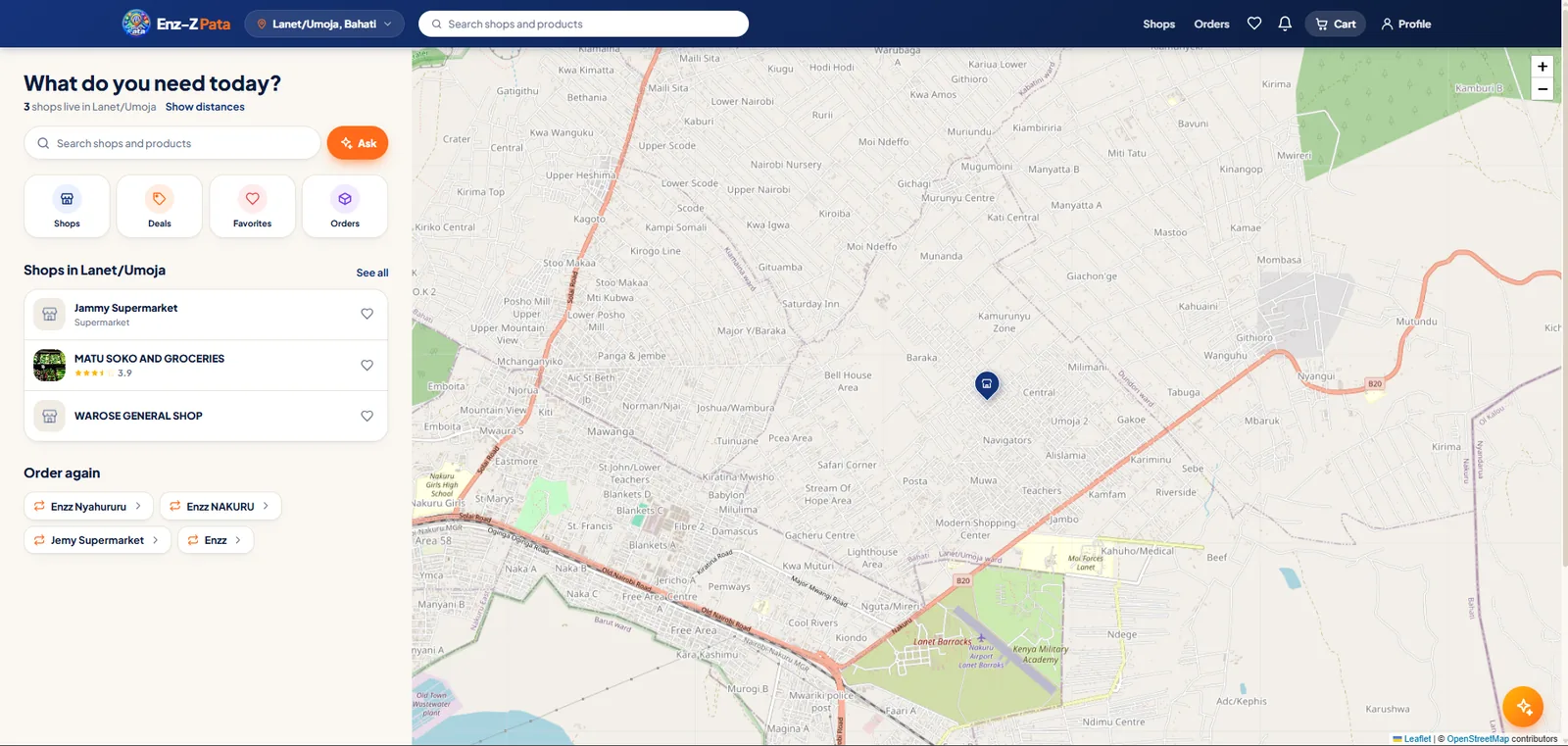
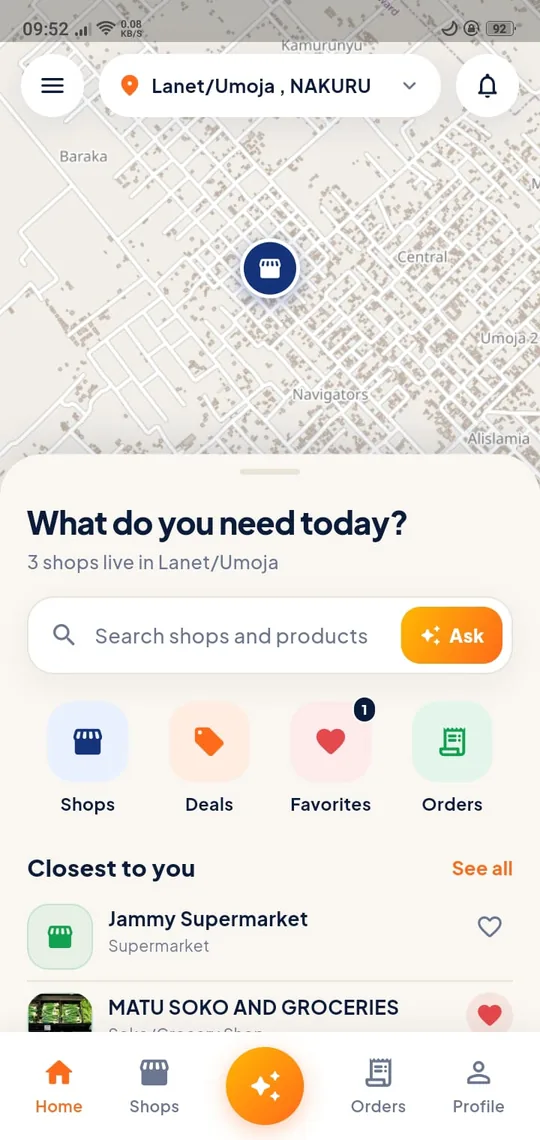
The gap it fills
| Without it | With Pata |
|---|---|
| Finding who stocks something at a fair price means walking and asking | Browse nearby shops, their products, prices and stock from your phone |
| New or back-street shops are invisible | Every Biashara shop has a page, shown by area and by distance |
| You don't know if a shop delivers, or what it costs | The shop's delivery prices are shown, and the fee to your location is worked out before you order |
| A shop's reputation is word of mouth | Ratings on five things that matter: response, readiness, delivery, service and quality |
| Offers only reach people who walk past | Offers show on the shop's page, and you can ask for offer alerts for your area |
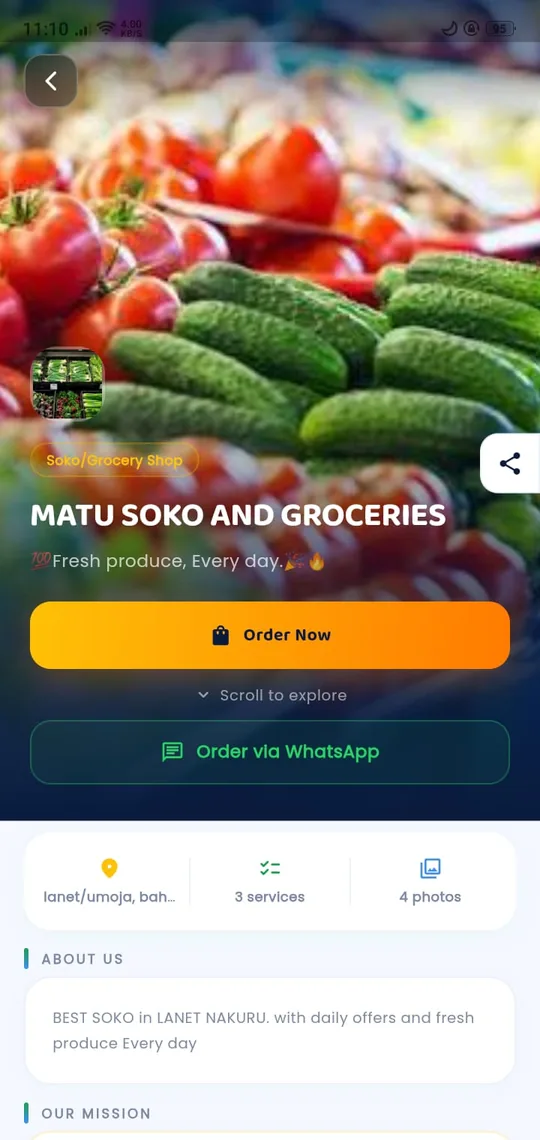
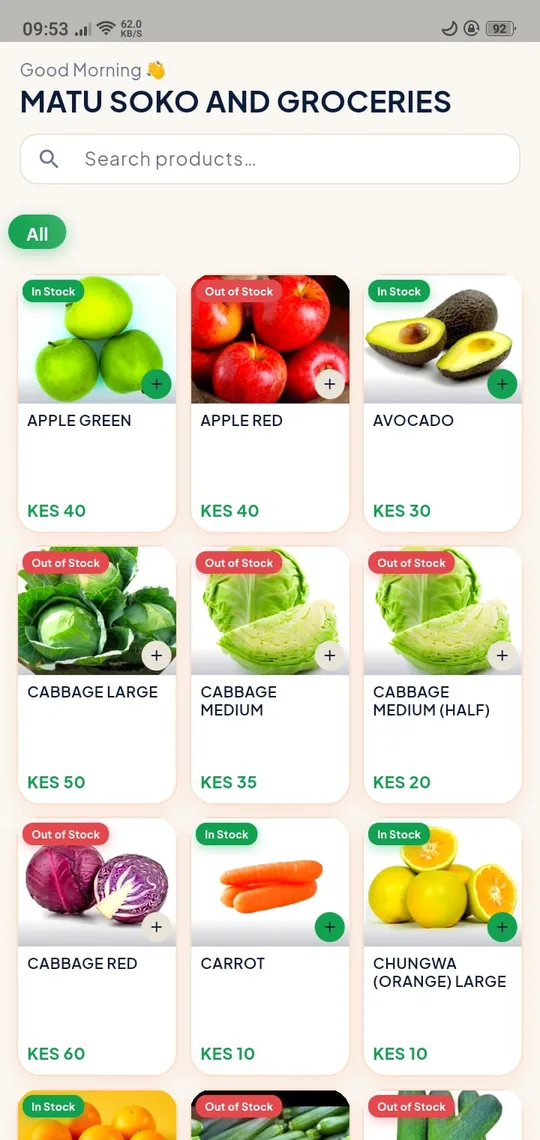
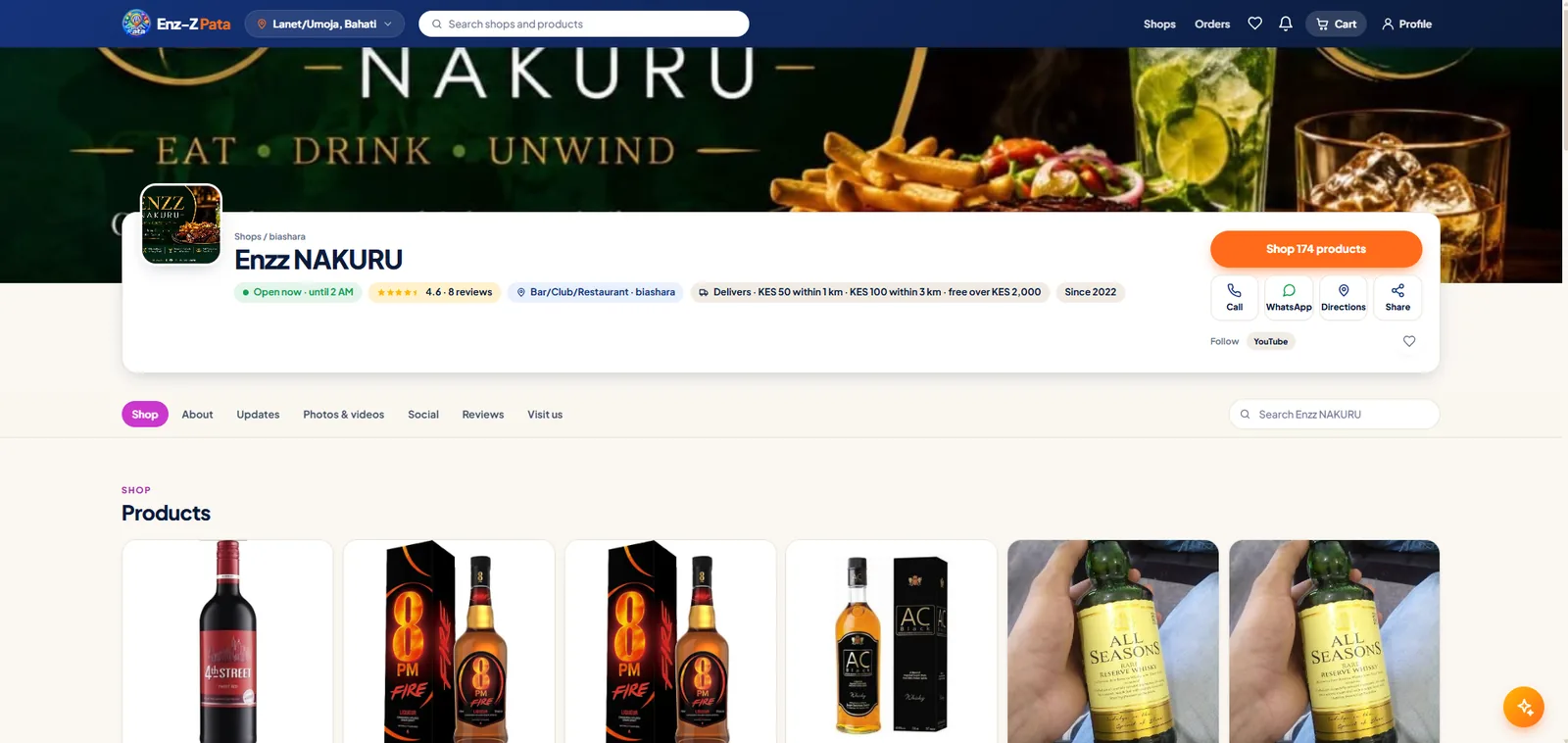
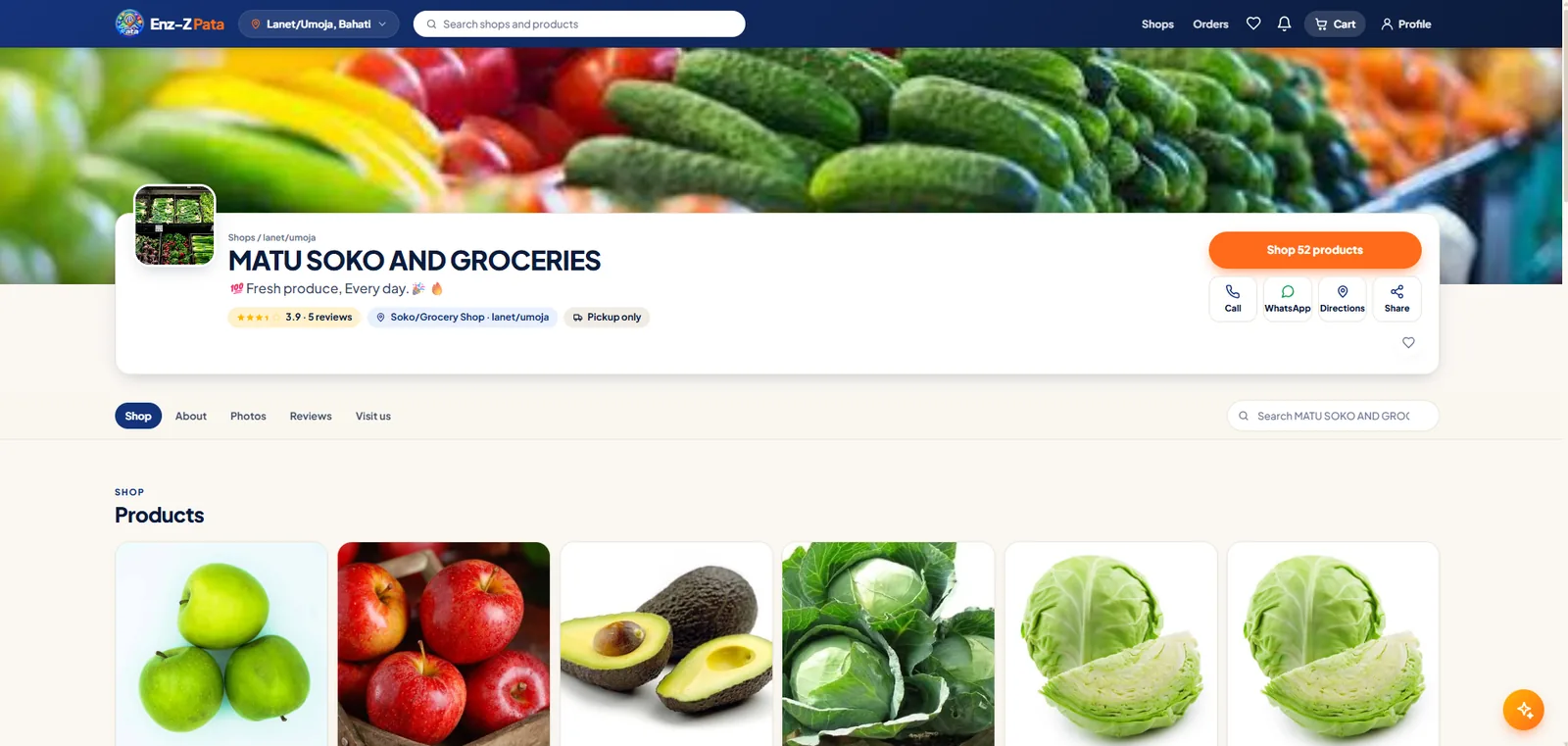
Every shop gets a small website
A shop's page on Pata is set up by the owner in Biashara and kept up to date as they sell.
- Banner, logo, tagline and whether it's open now
- Current offers
- About, mission, services and years in business
- Updates from the shop
- Photos and videos
- The shop's chosen Facebook, Instagram, TikTok and YouTube posts, loaded only when you tap
- Reviews by criterion and recent comments
- Map, directions and the week's opening hours
- Delivery prices
- Call, WhatsApp and every social link
Shop from a computer too
Pata works in any browser at pata.enzz.co.ke, with the same account, cart and orders as the app. On a computer, each shop's page opens like the shop's own website.
How ordering works
Choose where you are
Pick your county, sub-county and ward, or use your location to see shops nearby with their distance. If nothing matches in your ward, the search widens and tells you.
Find the shop or the product
Search across shops, browse by category, or ask the shopping assistant in plain words. Shops with offers are highlighted.
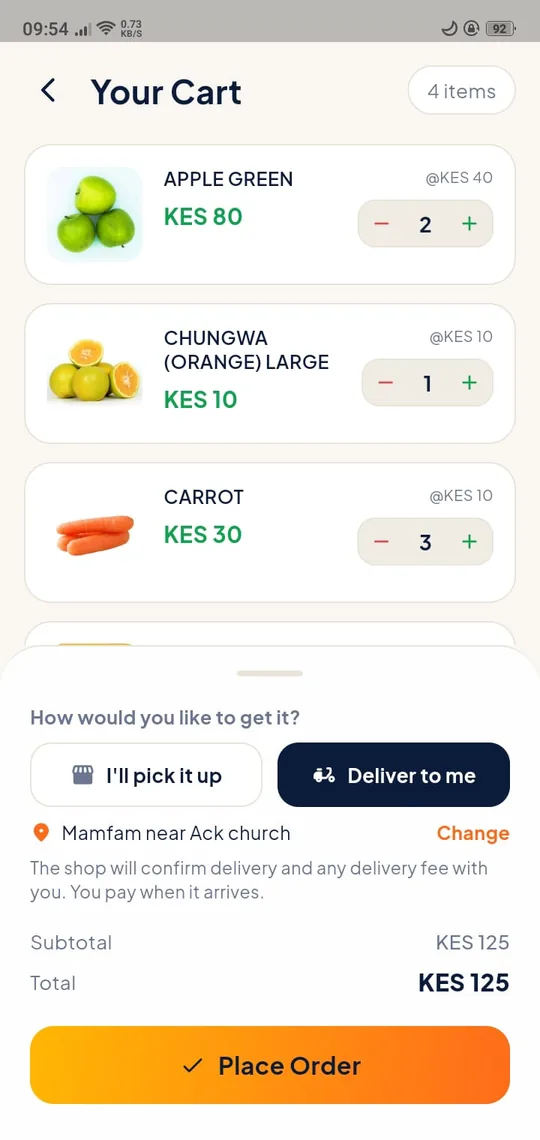
Add to cart, choose pickup or delivery
For delivery, add the address and a note. You see the delivery fee to your location before you order.
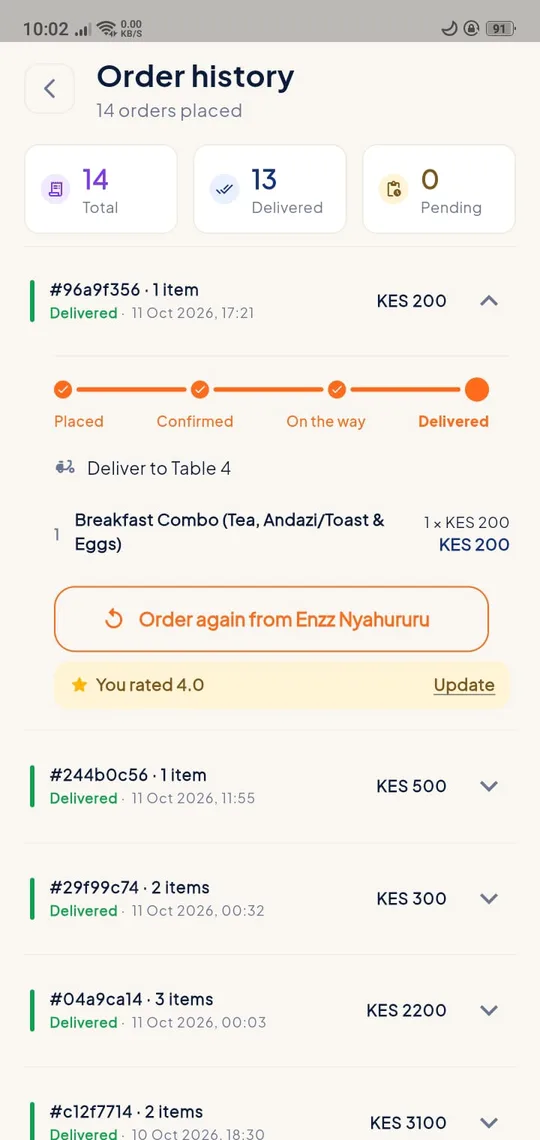
Follow the order and pay the shop
Watch its status live, confirm when asked, and pay the shop directly at hand-over. Then rate the shop.
Ranked fairly
Reviews on five things
As your order moves along you rate the shop on response, readiness, delivery, service and quality. Reviews show without your name or contact.
Ranking isn't for sale
A shop can't pay to appear above another. When automatic comparison arrives, shops will be ranked on stock accuracy, response time and distance, never on paid placement.
Also in Pata
Shopping assistant
- Ask for a product or a kind of shop near you in plain words
- Replies can be read aloud
Favourites and alerts
- Save shops you like
- Ask to hear about offers in your area
- Order updates and an in-app notification list
Your account
- Sign in with Google, or with your email or phone number: no password, just a 6-digit code to your email or WhatsApp
- Links to a shop open straight in the app
- Delete your account any time, in the app or on the web
Where it stands
Works today
- Everything above, on Android and at pata.enzz.co.ke
Built, being proven
- Sign-in with a 6-digit code by email, or on WhatsApp for a phone number
- Deleting your account from the app and the web
- The website-style shop page, once the server update is out
Planned
- Comparing similar shops, ranked by stock accuracy, response time and distance
- Telling shop owners what shoppers searched for and didn't find
- WhatsApp orders flowing into the shop's order list
See it working
Questions shoppers ask
Do I pay through Pata?
No. Pata never takes payment. You pay the shop when you collect or receive your order.
Who do I contact about an order or my account?
Email customer@enzz.co.ke. For a problem with the order itself, contact the shop from its page.
Is there an iPhone app?
Not yet. On an iPhone, use Pata in the browser at pata.enzz.co.ke.
What does Pata keep about me?
Your email or phone number, the area you choose, your orders and your reviews. Read the Pata privacy policy.
How do I delete my account?
In the app: menu › Delete Account, or on the web from your profile. See Delete your account.
Own a shop? Get it on Pata.
Run your shop with Biashara and it gets its own page on Pata, with orders coming straight in.