Run your whole shop by asking for what you want.
Everything a small shop needs to run, on a phone or a computer, with an assistant that does the work when asked in plain words.
Live on Android and the web. In English and Kiswahili. Free to start.
The gap it fills
| Without it | With Biashara |
|---|---|
| Stock is counted by hand or guessed; nobody knows what is running out | Stock is scanned in and counted down by every sale, with low-stock warnings and a forecast of what will run out |
| Sales are remembered, or written in a book at the end of the day | Every sale is recorded as it happens, with a receipt, by whoever made it |
| Credit is a notebook that gets lost or disputed | Each customer's balance, every part-payment and who gave the credit are tracked |
| The owner can't tell whether staff are honest without standing in the shop | Each employee answers for their own sales; a counter and cashier check, a daily report and an automatic sales check show what doesn't add up |
| Nobody outside walking distance knows the shop exists | The shop gets its own page on Pata and takes orders from it |
| Tax, profit and “can I afford this” are guesses | Income, expenses, profit, a turnover tax estimate and a monthly summary are a tap away |
| Business software needs training | The owner asks: “what did I sell today”, “add 20 sugar”, “who owes me” |
The owner's view
Leave the shop. Still know what happened.
Most small businesses stop growing at the point where the owner can't be in the shop all day. Biashara is built so every sale, every shilling and every item has a name next to it.
- Each employee sees and answers for their own sales, credit and receipts
- A counter and cashier check: tabs opened by waiters, every payment verified, shortfalls and surpluses flagged (Premium)
- A daily report of what moved, a balance check and oversold items
- The AI sales check reviews each day's sales and sends findings and questions to your WhatsApp or email (Premium)
- An order from Pata is only completed by selling it at hand-over, after the money is confirmed, so the sale and stock are always recorded
- Deleting a product needs the owner's key
Example conversation
Rafiki, the assistant that does the work
Ask in English or Kiswahili, by typing or by voice, and it answers or drafts the job. Nothing changes until you confirm.
It answers
- Today's and this month's sales and profit
- Stock, stock value and what will run out
- Who owes you and how much
- Tax, busiest times, comparisons
It does, after you confirm
- Restock, change a price, add a product
- Record a sale, an expense, a return or a credit payment
- Create a promotion
- Draft purchase orders for each supplier
Understands product names despite typos and different spellings, reads replies aloud, and on Premium also lets you chat with your Biashara on WhatsApp and Telegram.
Chat with your Biashara on WhatsApp and Telegram
Rafiki, your AI business assistant, runs the shop from a chat, without opening the app.
Link your Biashara account once, then chat with your Biashara like any other contact. Rafiki, your AI business assistant, answers in the chat you already use all day.
- Ask for today's sales, stock or who owes you, in English or Kiswahili
- Say sell 3 balozi and 2 tusker and it drafts the sale with prices and the total
- Nothing is sold until you tap how the customer paid, such as M-Pesa. Then you get the receipt number
- If a name matches more than one product, it asks which one instead of guessing
- Each employee is linked as themselves, so a sale made in chat still has their name on it
Included in Premium. Everything done in chat shows up in the app and the web app straight away.
Everything it does today
All of this is in the app and the web app now.
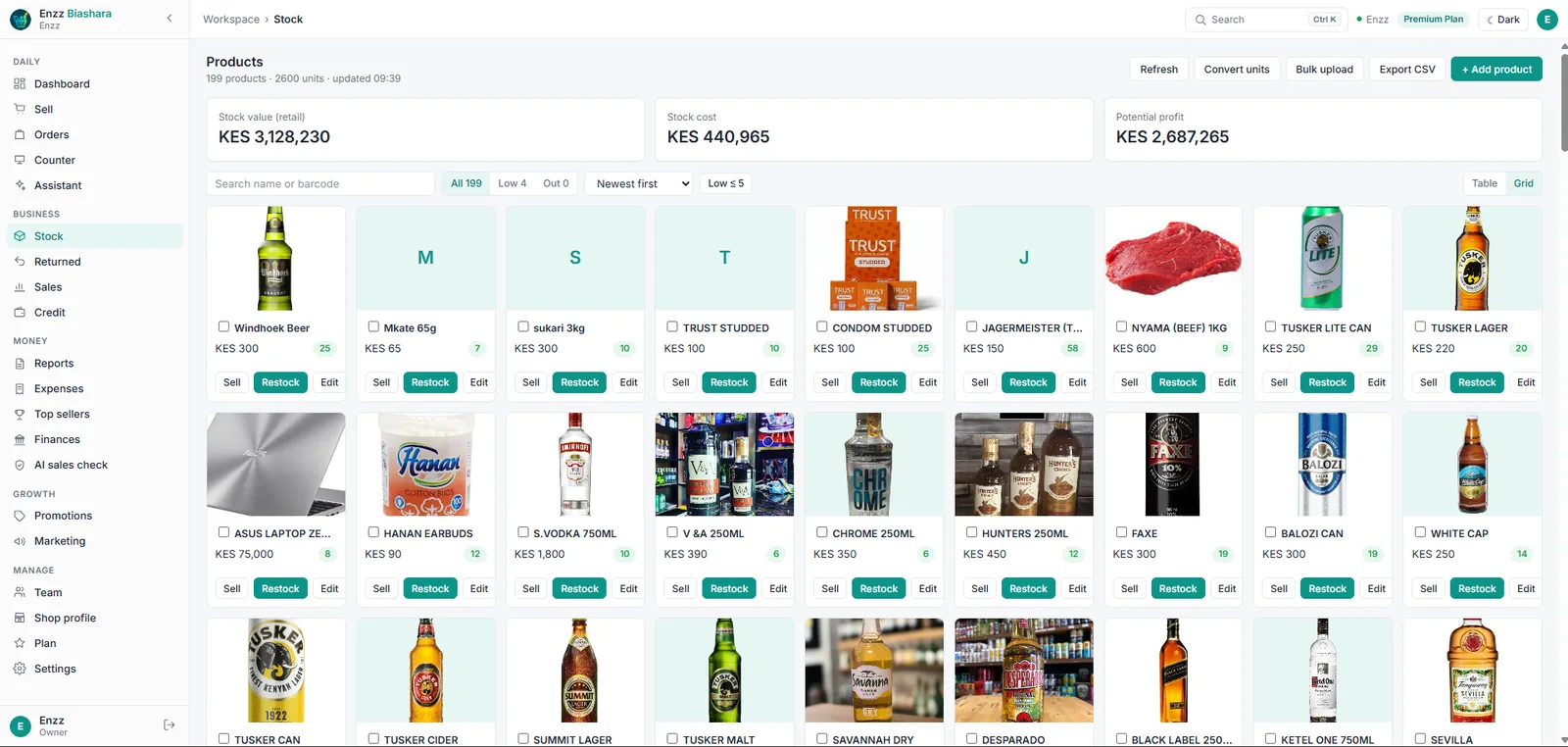
Stock
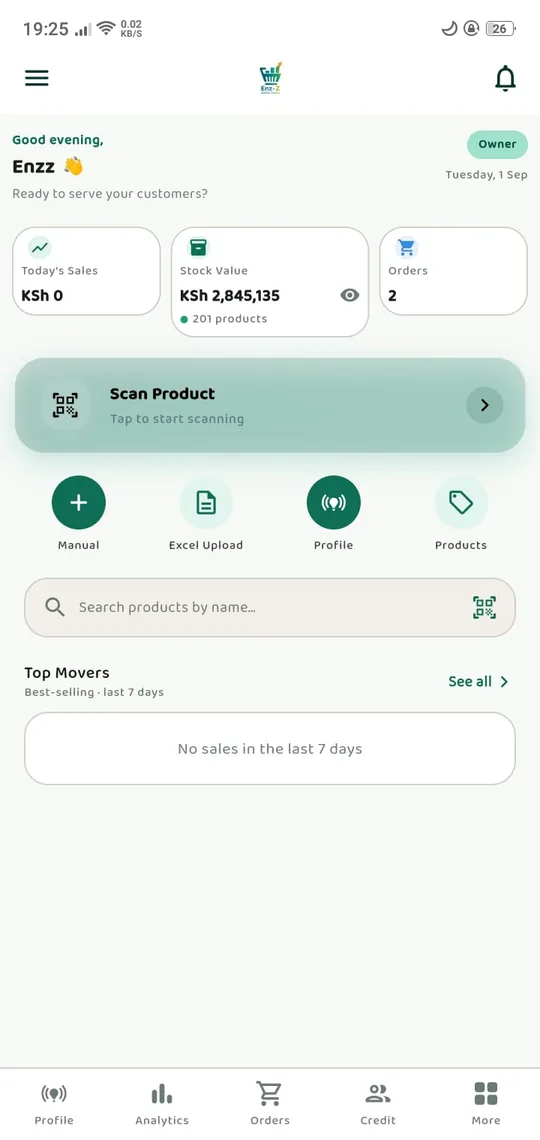
- Add products by scanning a barcode, typing, or uploading an Excel file
- Restock many at once with presets and a preview
- Convert units, such as a carton into pieces
- Record returned, expired or written-off stock and the loss
- Purchase orders to suppliers
- Low-stock thresholds, trends and CSV export
Selling
- A Sell screen with barcode scanning, shortcuts and change due
- Discounts, flash sales, buy-one-get-one and bundles applied automatically
- Sell on credit with saved buyers and credit rules
- Hold an order and come back to it
- A numbered, printable receipt for every sale, never recorded twice
- Works offline and syncs when the connection returns
Orders from Pata
- Orders arrive with pickup or delivery, the address and a note
- Assign an order to an employee: prepare, sell or deliver
- Clear statuses from placed to completed, including out for delivery
- Your delivery prices: free above an amount, a fee by distance
Money
- Sales and credit history with filters; record payments
- Expenses by category; photograph a receipt and it's read into an entry for you to check
- Top sellers by units or revenue against last month
- Turnover, projections, estimated turnover tax and a KRA filing guide
- Daily reports and saved monthly reports
- Audit a day against the day before or an outside file, as a PDF
Team
- Employees join with the owner's key
- Job title, type, hire date, status and notes for each person
- Suspend or remove access in a tap
- Counter access given per employee
Your shop online
- A shop page on Pata: logo, banner, story, services, photos, videos, updates, opening hours, map and contacts
- Brand colour, and your chosen Facebook, Instagram, TikTok and YouTube posts
- Promotions you can schedule and end
- A share link for WhatsApp and Facebook, with or without live deals
- AI Banner Studio makes a banner for an occasion
- See your customers' reviews
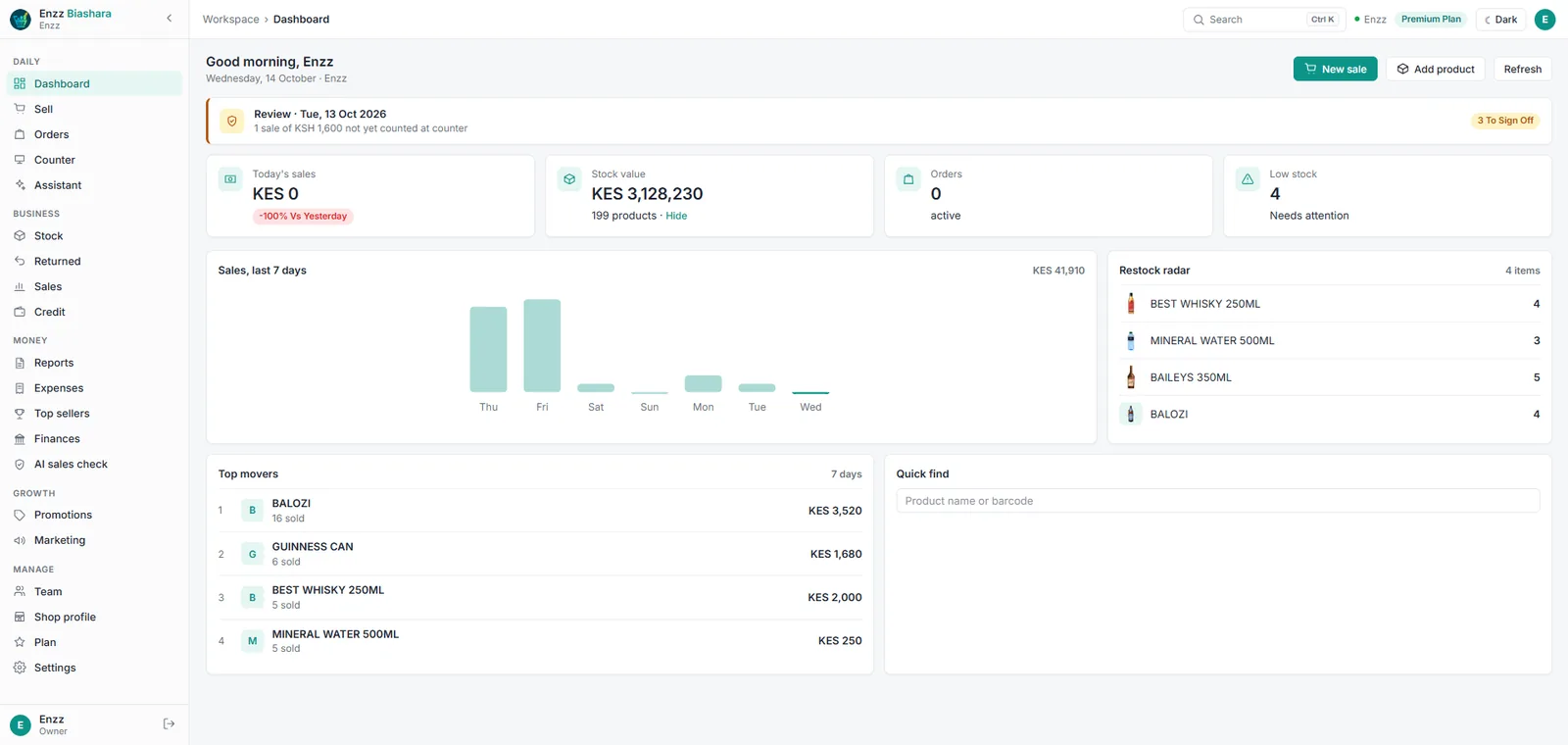
Use it on a computer too
The full Biashara web app runs in any browser at biashara.enzz.co.ke: the same account, the same shop, with keyboard search, desktop notifications for new orders and a Kiswahili interface. Plans can be paid there with M-Pesa.
Who it's for
Shops and dukas, kiosks, general stores, chemists and pharmacies, bars, restaurants and other small businesses. It works for one person on their own, and for an owner with a team.
Premium owners can run more than one business from one account. A fingerprint or face lock protects sensitive actions, checked by your phone; we never receive it.
Where it stands
What works, what is being proven, and what is next.
Works today
- Everything listed above, on Android and the web
- Plans paid through Google Play in the app, or M-Pesa on the web
Built, being proven
- The new shop-page fields (brand colour, updates, videos, social posts, opening hours) once the server update is out
- M-Pesa on the web, tested against Safaricom's test system
Planned
- WhatsApp orders arriving in the order list as structured orders
- Stock suggestions from what Pata shoppers searched for and didn't find
- A one-tap summary for a lender or landlord
- Reorders drafted automatically when an item hits its low-stock level
See it working
More on the Enzz YouTube channel.
Questions owners ask
Does it work without internet?
Yes. Sales and stock keep working offline and sync when the connection is back.
Do I need a computer?
No. Everything works on an Android phone. The web app is there if you'd rather use a computer.
Can my employees steal from me through it?
Each employee only sees their own records, deleting a product needs your key, and the daily report, counter check and AI sales check show what doesn't add up.
How do I get my shop on Pata?
Fill in your shop profile in Biashara. Your page, products and offers then appear on Pata.
Is my business data sold or shared?
No. See the Biashara privacy policy.
How do I delete my account?
In the app: Settings › Delete Account. Or see Delete your account.
Start free today.
Download Biashara, add your stock, and sell your first item in minutes. Upgrade only when you need more.